BackiGo: Local, restorable iPhone backups with Live Photo support
Experience a local-first backup workflow with BackiGo, from developer BackiGo, designed to give iPhone, iPad, and Mac users full control over their media. The app creates restorable backups of photos, videos and documents in original quality, preserving Live Photos and ProRAW while avoiding account-based cloud sync. Its core tools include incremental transfers, scheduled automation, and client-side encryption options. Photographers and privacy-conscious users with large media libraries gain a private alternative to mainstream cloud subscriptions and local hardware destinations like NAS and external drives.
What does BackiGo back up?
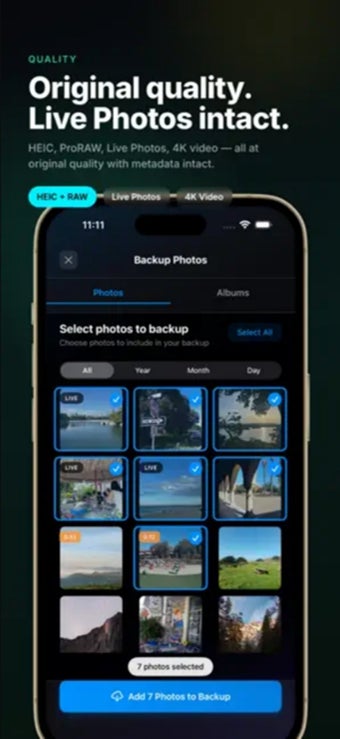
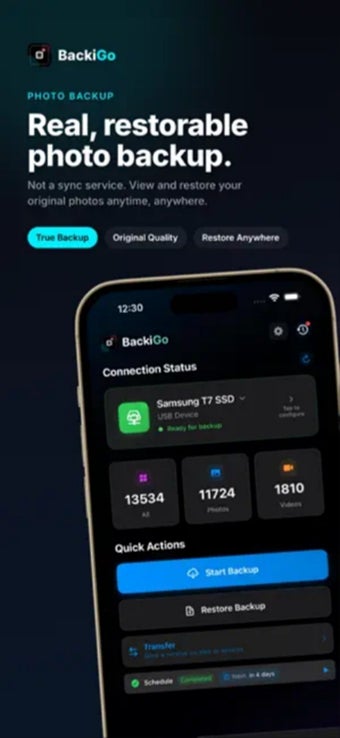
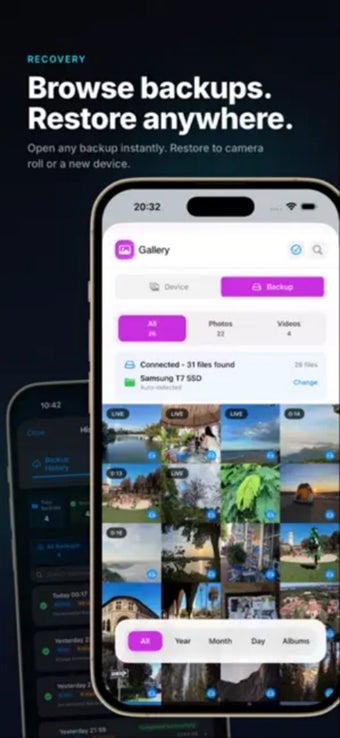
The app performs full, restorable copies of iCloud Photos, device albums, videos, iCloud Drive documents and Contacts, and it supports restoration to any compatible iPhone, iPad or Mac. It handles Live Photos and ProRAW in their native formats so motion, sound and file fidelity are preserved. Backups are stored in an ordinary file structure, which keeps archived media accessible from standard file explorers.
How does BackiGo affect device transfers and storage?
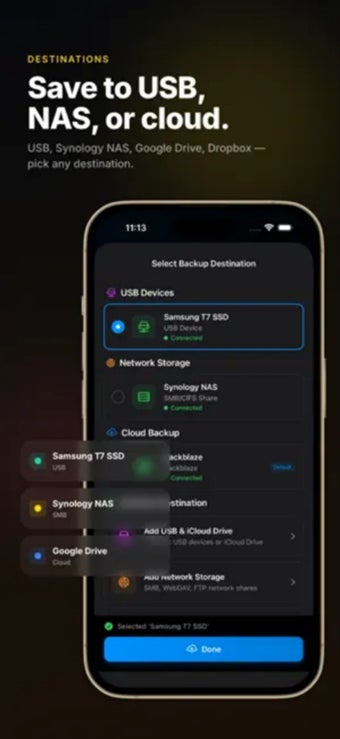
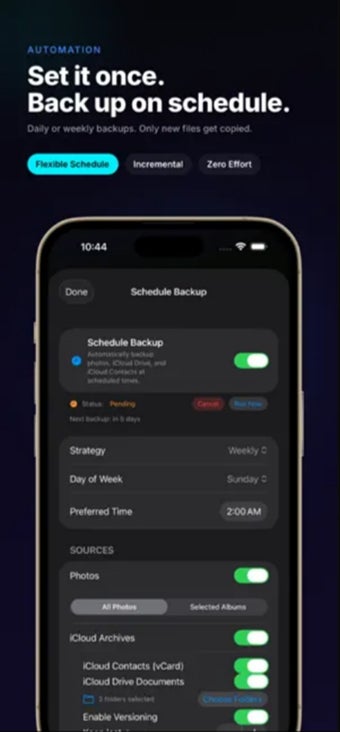
BackiGo uses an incremental backup system that transfers only new or changed items, reducing transfer time and storage churn compared with repeated full uploads. Scheduled automation permits running backups at set times to avoid peak usage. The app can write directly to external USB drives, SSDs and network storage via SMB or FTP from iOS devices, removing the need for a computer intermediary; it requires iOS/iPadOS 15.0 or later and macOS 12.0 or later for full functionality.
Is BackiGo safe for privacy-sensitive data?
The tool does not require an account and the developer states a zero-tracking, no-data-collection policy. Users can enable client-side encryption so files are encrypted before leaving the device, and the app provides in-app browsing and preview of stored media so content can be verified without performing a full restoration. Those options let users keep sensitive libraries under local control rather than in account-bound cloud stores.
Do you need technical knowledge to operate BackiGo?
Routine protection is accessible: once a backup destination is selected, scheduled, automatic backups make ongoing use largely hands-off. Nevertheless, configuring external or NAS destinations over SMB/FTP and linking personal cloud endpoints requires familiarity with network mounts and file locations. The tool therefore best serves photographers and privacy-focused users who are comfortable managing storage targets, while casual users may need initial setup assistance.
BackiGo is a practical choice for users who want private, device-centric backups
BackiGo is a practical option for privacy-focused users and photographers who need local, restorable backups stored on private hardware. The main trade-off is that configuring networked or external storage destinations and managing large media libraries requires some technical familiarity. A practical tip: schedule backups during idle hours and verify destinations before the first run to avoid interrupted transfers and inconsistent snapshots.